After working with the github rest api and experiencing some of it's limitations it's time to pick things up a bit and dive into their Graphql api
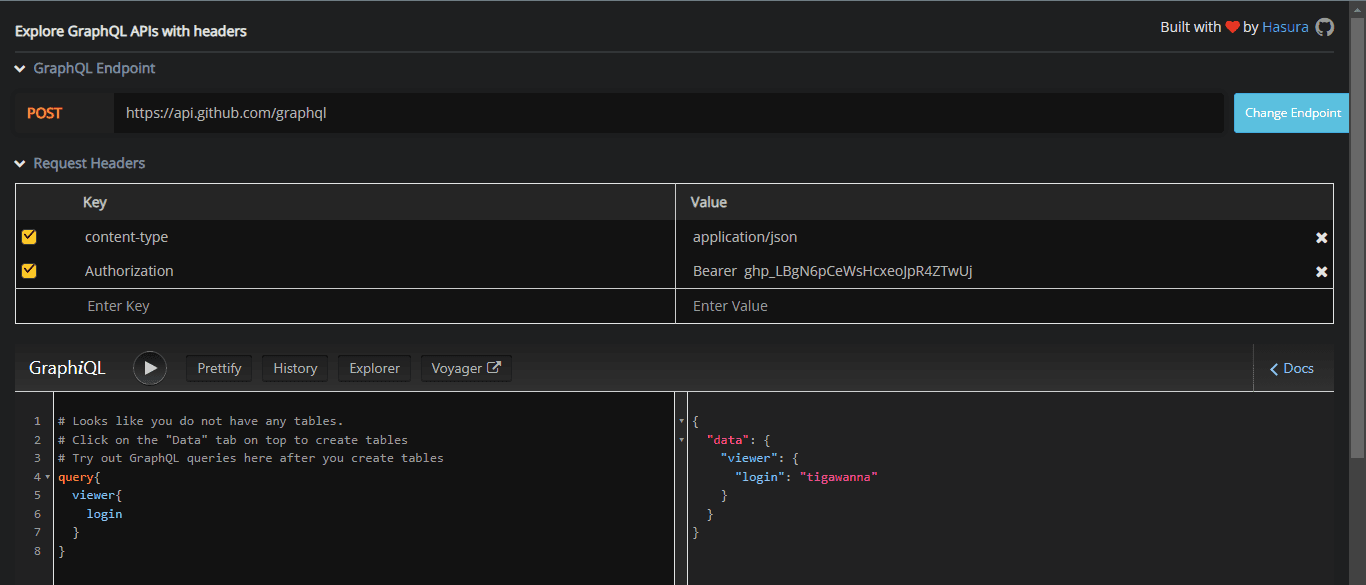
as Usual first things first we set up a testing environment and github provides their own explorer which will setup the authentication headers for you under the hood , but if you prefer to use another gql explorer , just set it up like below Replace ghp_LBgN6pCeWsHcxeoJpR4ZTwUj with your personal access token
Image description
I have another article i made about react-query tips and tricks which might help explain that part . because i want to focus on the actual GraphQl queries in this one i'll mostly highlight the queries i used in the project and not go into details about the react part
before we start we'll define a graphql Fragment that defines a User, this will come in handy because we'll be using it when querying the viewer ,user, follower , and following for uniformity so that if we need to add or remove a field we just do it once in the fragment and all the items defined by it change along with it.
typescript
1import gql from"graphql-tag";
2
3/// user fragments
4exportconst OneUserFrag = gql`
5fragmentOneUseronUser{
6id
7name
8login
9email
10bio
11avatarUrl
12company
13twitterUsername
14createdAt
15isFollowingViewer
16viewerIsFollowing
17isViewer
18location
19url
20followers(first:1){
21totalCount
22nodes{
23id
24}
25}
26following(first:1){
27totalCount
28nodes{
29id
30}
31}
32
33repositories(first:1){
34totalCount
35nodes{
36id
37}
38}
39}
40`;
>If you remember the REST api was lacking a few fields in the equivalent query isFollowingViewer , viewerIsFollowing , isViewer which will help us avoid having to run other sub queries to check the follow status on every follower/following item
viewer
This query returns the currently logged in User , and I am using the personal access token to authenticate users since it's the simplest to implement.
typescript
1//get currently logged in user
2exportconstGETVIEWER= gql`
3querygetViewer{
4viewer{
5...OneUser
6}
7}
8${OneUserFrag}
9`;
you'll notice that We're only fetching one follower , following , repository
javascript
1following(first:1){
2 totalCount
3 nodes {
4 id
5}
6}
and that's because we're only interested in the totalCount field at this point in order to diply it like this with all the counts
Image description
paginated fields
This is also because those three field require pagination and take the first ,last , after and before parameters
last and first is number of nodes and from which portion you want them from start of end and before and after are cursors , the api doe's generate cursors for us and can be accessed inside the page info field that's available in every paginated field
wiltake in the variables login ,first and after and pass them into the query
javascript
1user(login: $login){
2followers(first: $first,after: $after){
and with queries with no variables you'll just write
typescript
1 query getViewer {
2 viewer {}
3}
i've found it easier to avoid stuffing multiple paginated fields into one query and just break them of into smaller queries to be run by their own component which instead of a giant query to be rendered in one component
for example , once the viewer has been fetched the smaller components nested in the main component will have their own queries one for repositories another for followers and following they will be optionally rendered in a tab like way where by default it'll load the repository tab and the others will be shown if the user explicitly clicks on them which is when they'll run their sub query
User
similar to the viewer query but this will take one login (username) as a parameter and return the OneUserFragMent , useful when you want to navigate to another User obtained either from the follower list or Search results
javascript
1exportconstGETONEUSER= gql`
2 query getUser($login:String!){
3user(login: $login){
4...OneUser
5}
6}
7 ${OneUserFrag}
Search
we'll also want the ability to search for random github user's by their username or password
the syntax below is better explained here but i short it lets us access items of a specific fragment since this query can return fragments of different types User , Repository , Code, Issue....
typescript
1... on User {
which allows you to write highly customizable queries like this
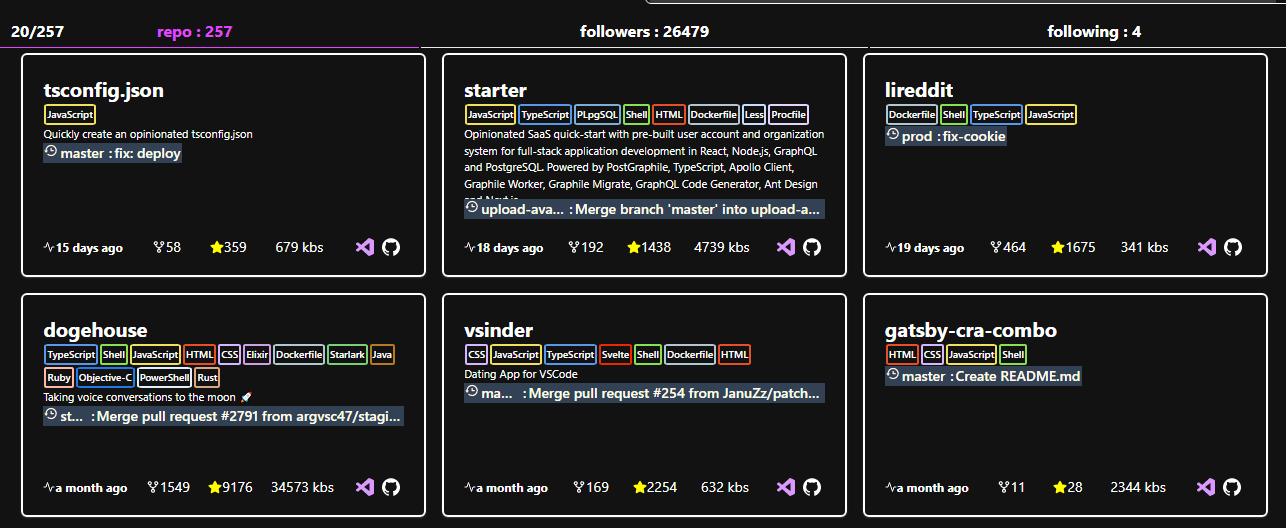
this field has a lot on it and it'll be all about what you want to display in your app in my case i wanted to display something like this
Image description
I used ben awad's profile because his repositories actually have stars ,forks and multiple languages which is the brief info i want to see at a glance before i decide to click on it and see more
in this bit am requesting for the 2 most recent commits and the branch on which it was made , the fact that this is possible in one query blows my mind which is another reason i really like graphql
but to top it all off am planning to implement a bigger query which i abandoned after realising it would be a pagination nightmare and would be better off being split up into smaller queries and each query being assigned it's child component which an be optionally rendered on user request but here it is anyway
typescript
1constFULLREPO= gql`
2# github graphql query to get more details
3querygetRepoDetails(
4$repoowner:String!,
5$reponame:String!,
6$first:Int,
7$after:String,
8){
9repository(owner:$repoowner,name:$reponame){
10nameWithOwner,
11
12# get the repo collaborators
13
14collaborators(first:$first,after:$after){
15edges{
16node{
17avatarUrl,
18email,
19name,
20bio,
21company
22},
23},
24pageInfo{
25endCursor,
26hasNextPage,
27hasPreviousPage,
28startCursor
29},
30totalCount
31}
32# end of collaborators
33
34# gets the repo vulnerabilities
35
36vulnerabilityAlerts(first:$first,after:$after){
37edges{
38node{
39createdAt,
40securityAdvisory{
41classification,
42description,
43vulnerabilities(first:$first,after:$after){
44edges{
45node{
46severity,
47package{
48name,
49ecosystem
50}
51}
52},
53pageInfo{
54endCursor
55hasNextPage
56hasPreviousPage
57startCursor
58},
59totalCount
60}
61}
62}
63}
64},
65# end of vulnerabilities block
66
67#refs: get branches and all the recent commits to it
the query works fine , but only if you don't paginate because then you'll have to add more after variable for every paginated field and also handle the react-query / your gql client of choice
btw , check out example usage of react-query with graphql