I recently saw a job opening where they wanted a Nodejs ,TypeORM and GraphQL developer So I decided now would be a good time to brush up on those skills
Throw back to 3 years a go when Ben Awad was the predominant react influencer on YouTube when he dropped this absolute banger of an intermediate full-stack tutorial
But before starting with that I went back to do a Postgres refresher and tried out a freecodecamp video
In the video they ha a sample movies database which I decided to build an app around as practice and expose a GraphQL API of it
Checkout sample database setup part Before we do anything , we'll walk over how we'll use TypeORM with GraphQL
The idea will be to
Create a GraphQl server with express and apollo-server-express Using TypeORM as our ORM to talk to the database with and define the schema Use type-graphql to define the GraphQ schema and resolvers for maximum type safety 1 import { Entity , PrimaryGeneratedColumn , Column } from "typeorm"
2 import { ObjectType , Field , Int , InputType } from 'type-graphql'
3 import { registerEnumType } from "type-graphql" ;
4
5
6 enum FilmRatings {
7 PG13 = "PG-13" ,
8 NC17 = "NC-17" ,
9 R = "R" ,
10 G = "G" ,
11 PG = "PG"
12 }
13
14
15 registerEnumType ( FilmRatings , {
16 name : "rating" ,
17 description : "The film rating" ,
18 } ) ;
19
20 @ ObjectType ( )
21 @ InputType ( )
22 @ Entity ( )
23 export class Film {
24 @ Field ( ( ) => Int )
25 @ PrimaryGeneratedColumn ( )
26 film_id : number ;
27
28 @ Field ( ( ) => String )
29 @ Column ( { type : "text" } )
30 title : string ;
31
32 @ Field ( ( ) => Int )
33 @ Column ( { type : "integer" } )
34 release_year : number ;
35
36 @ Field ( ( ) => Int )
37 @ Column ( { type : "smallint" } )
38 language_id : number ;
39
40 @ Field ( ( ) => Int )
41 @ Column ( { type : "smallint" } )
42 rental_duration : number ;
43
44 @ Field ( ( ) => Int )
45 @ Column ( { type : "numeric" } )
46 rental_rate : number ;
47
48 @ Field ( ( ) => Int )
49 @ Column ( { type : "smallint" } )
50 length : number ;
51
52 @ Field ( ( ) => Int )
53 @ Column ( { type : "numeric" } )
54 replacement_cost : number ;
55
56 @ Field ( ( ) => FilmRatings )
57 @ Column ( { type : "enum" , enumName : "rating" } )
58 rating : FilmRatings
59
60 @ Field ( ( ) => String )
61 @ Column ( { type : "timestamp without time zone" } )
62 last_update : Date ;
63
64 @ Field ( ( ) => [ String ] )
65 @ Column ( { type : "text" , array : true } )
66 special_features : string [ ] ;
67
68 @ Field ( ( ) => String )
69 @ Column ( { type : "text" } )
70 fulltext : string ;
71
72 }
73
74
When you already have an existing database you can use the TypeORM option synchronize: false,
1 import { DataSource } from "typeorm"
2
3 export const AppDataSource = new DataSource ( {
4 type : "postgres" ,
5 host : "localhost" ,
6 port : 5432 ,
7 username : "postgres" ,
8 password : "postgres" ,
9 database : "dvdrental" ,
10 synchronize : false ,
11 migrations : [ "src/migrations" ] ,
12 entities : [ "src/entities/*.entity.ts" ] ,
13 } )
The issue I immediately ran into was how to use the column types database already as to generate TypeORM schemas manually There a was a Postgres query to return a table's column types
1 SELECT table_name ,
2 ( SELECT string_agg ( column_name , ', ' )
3 FROM information_schema . columns
4 WHERE table_schema = t . table_schema
5 AND table_name = t . table_name ) AS columns ,
6 ( SELECT string_agg ( data_type , ', ' )
7 FROM information_schema . columns
8 WHERE table_schema = t . table_schema
9 AND table_name = t . table_name ) AS column_types
10 FROM information_schema . tables t
11 WHERE table_schema = 'public'
But it wasn't very clear on Enum types and other types like that for example the film table had rating column that was an Enum type
You could get the Enum values using a distinct select
1 SELECT DISTINCT rating FROM film
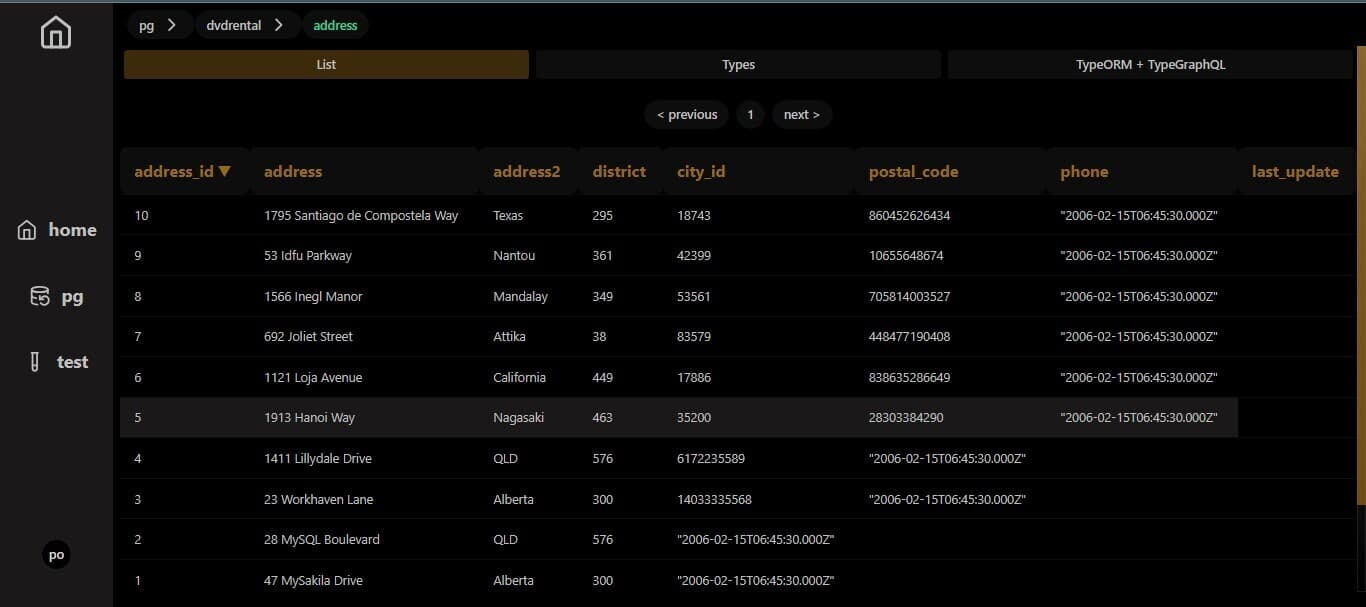
But this didn't feel scalable so I built a simple Postgres GUI as a challenge to view the columns and their types and feed that info into an LLM to get a schema.
Postbase , Am bad at naming things but in It's basics
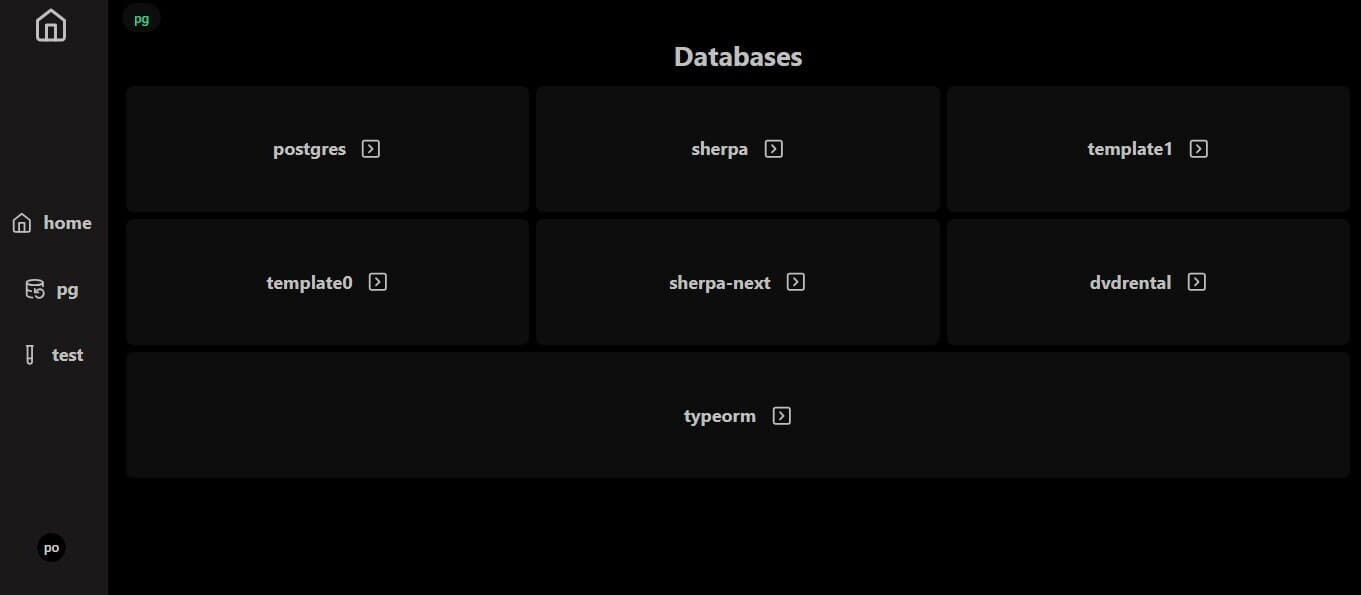
When loaded up the /pg route , This snippet will run and fetch all the databases running on your Postgres server
1 const query = useSSQ ( async ( ctx ) => {
2 try {
3 const config = safeDestr < DbAuthProps > ( ctx . cookie ?. pg_cookie ) ;
4 if ( ! config ) {
5 return { result : null , error : "no config" } ;
6 }
7 const sql = postgresInstance ( config ) ;
8 if ( ! sql ) {
9 return { result : null , error : "no config" } ;
10 }
11
12 if ( config . local_or_remote === "remote" ) {
13 return {
14 result : { redirect : ` /pg/ ${ sql . options . database } ` } ,
15 error : null ,
16 } ;
17 }
18 const database = ( await sql ` SELECT datname FROM pg_database ` ) as any as [
19 { datname : string } ,
20 ] ;
21 const users = ( await sql ` SELECT * FROM pg_catalog . pg_user ` ) as any as [
22 { usename : string } ,
23 ] ;
24
25 return { result : { database , users } , error : null } ;
26 } catch ( error : any ) {
27 console . log ( " === error == " , error . message ) ;
28 return { result : null , error } ;
29 }
30 } ) ;
31
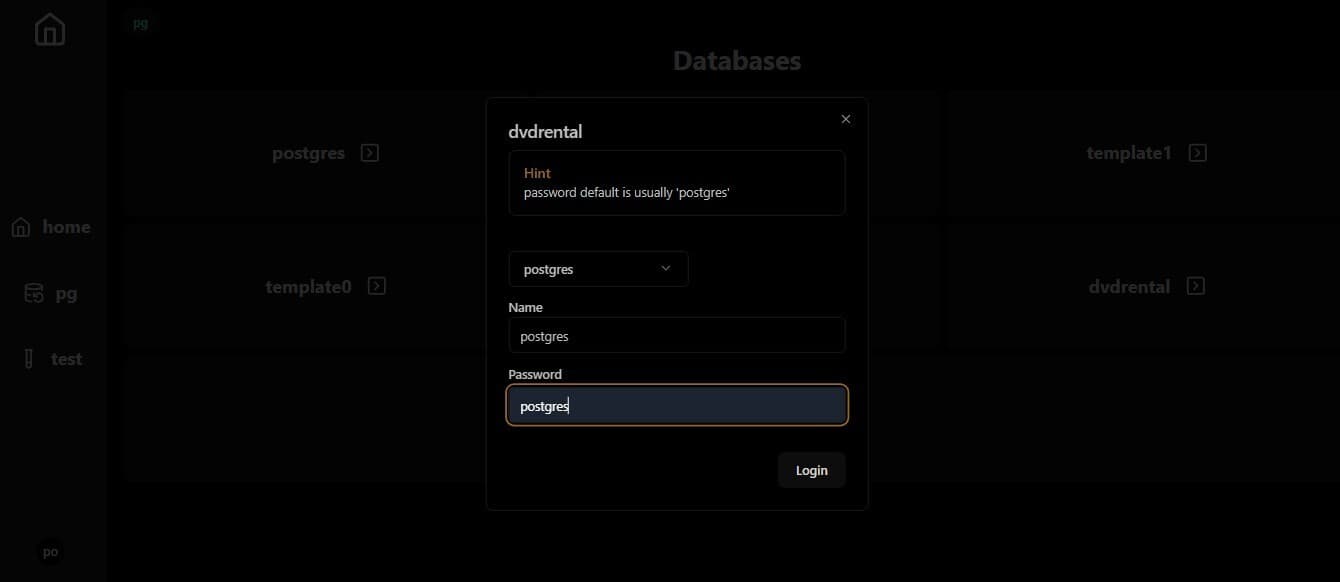
databases list Clicking on one database will prompt you for it's credentials
pick database 1 const query = useSSQ ( async ( ctx ) => {
2
3 try {
4 const config = safeDestr < DbAuthProps > ( ctx . cookie ?. pg_cookie ) ;
5 if ( ! config || ! config ?. local_or_remote ) {
6 return { rows : null , error : "no config" } ;
7 }
8 const sql = postgresInstance ( config ) ;
9 if ( ! sql ) {
10 return { rows : null , error : "no config" } ;
11 }
12 const tables = ( await sql `
13 SELECT table_name ,
14 ( SELECT string_agg ( column_name , ', ' )
15 FROM information_schema . columns
16 WHERE table_schema = t . table_schema
17 AND table_name = t . table_name ) AS columns ,
18 ( SELECT string_agg ( data_type , ', ' )
19 FROM information_schema . columns
20 WHERE table_schema = t . table_schema
21 AND table_name = t . table_name ) AS column_types
22 FROM information_schema . tables t
23 WHERE table_schema = 'public' ;
24
25 ` ) as any as [
26 {
27 table_name : string ;
28 columns : string ;
29 column_types : string ;
30 } ,
31 ] ;
32
33 return { tables , error : null } ;
34 } catch ( error : any ) {
35 console . log ( " === error == " , error . message ) ;
36 return { tables : null , error : error . message } ;
37 }
38 } , { key : db_name } ) ;
39
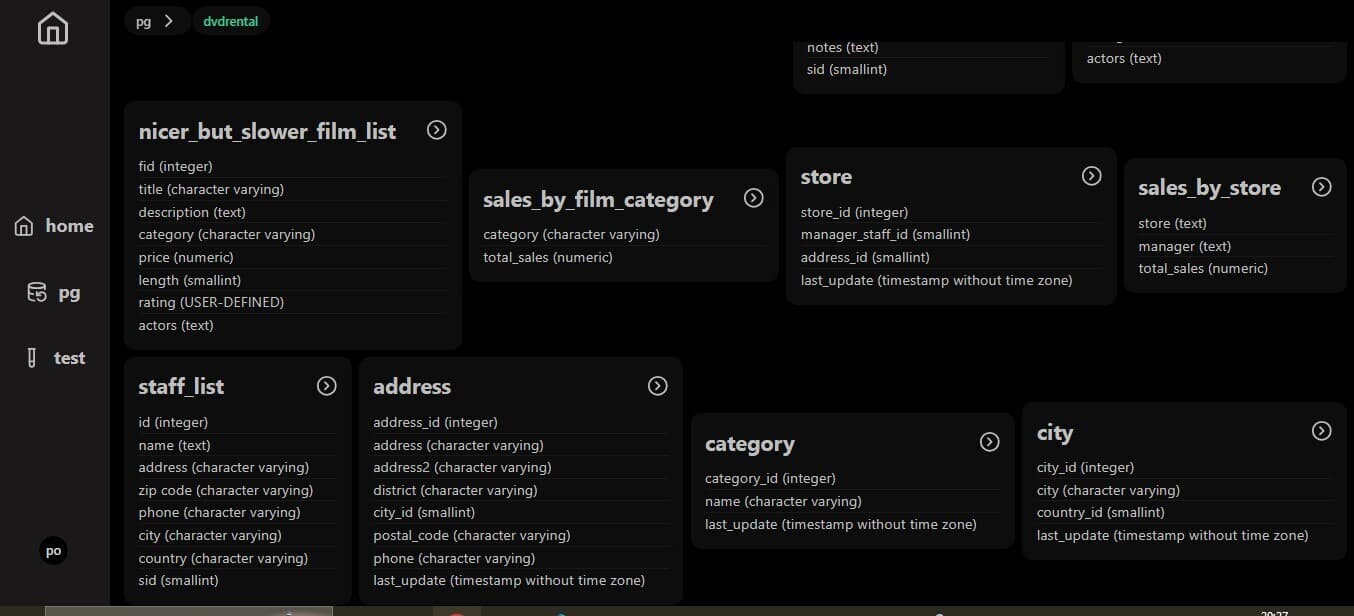
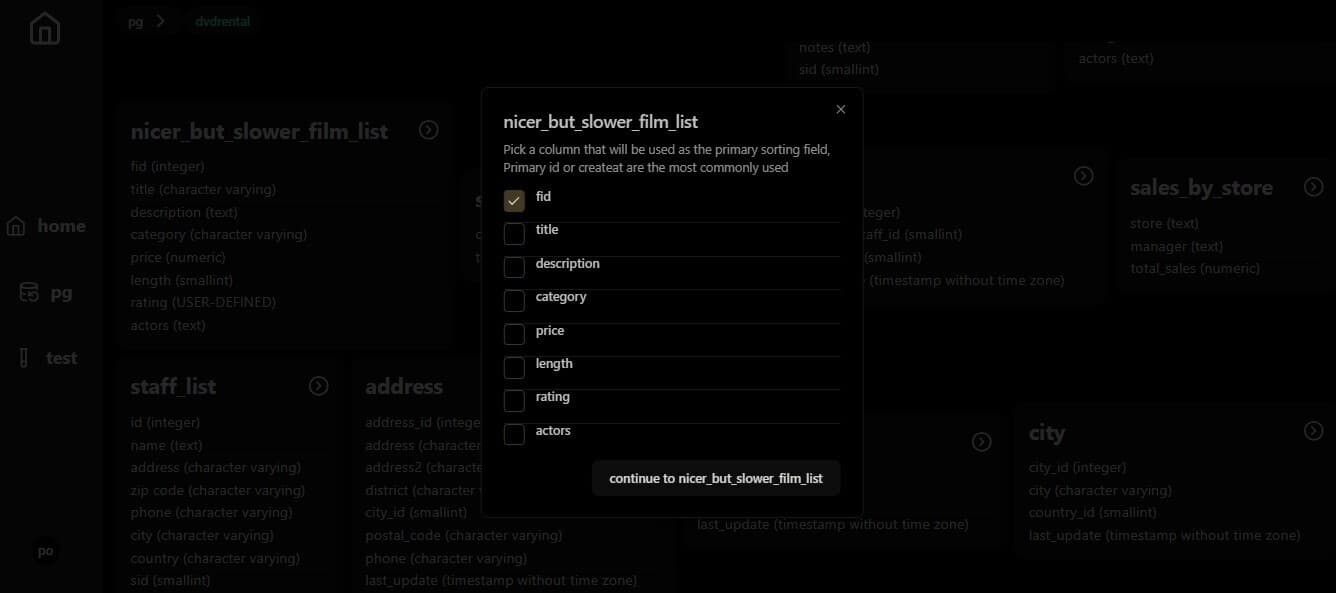
table Clicking on one table will prompt you to pick one of the rows as the primary key for sorting
pick table table tabs The table view consists of 3 tabs
list We select 10 first rows in this table and will get the next 10 using pagination
1 const query = useSSQ (
2 async ( ctx ) => {
3 try {
4 const offset = ( table_page - 1 ) * 10 ;
5 const config = safeDestr < DbAuthProps > ( ctx . cookie ?. pg_cookie ) ;
6 if ( ! config || ! config ?. local_or_remote ) {
7 return { rows : null , error : "no config" } ;
8 }
9 const sql = postgresInstance ( config ) ;
10 if ( ! sql ) {
11 return { rows : null , error : "no config" } ;
12 }
13 const rows = ( await sql `
14 SELECT * from ${ sql ( db_table ) }
15 ORDER BY ${ sql ( db_primary_column ) }
16 OFFSET ${ offset }
17 LIMIT 10 ` ) as any as [ { [ key : string ] : any } ] ;
18
19 return { rows , error : null } ;
20 } catch ( error : any ) {
21 console . log (
22 " === useSSQ OneTableRowsOffsetPages error == " ,
23 error . message ,
24 ) ;
25 return { rows : null , error : error . message } ;
26 }
27 } ,
28 { key : ` ${ db_name } / ${ db_table } ` } ,
29 ) ;
types This part is powered by kanel to generate the types and Shikiji to style the output
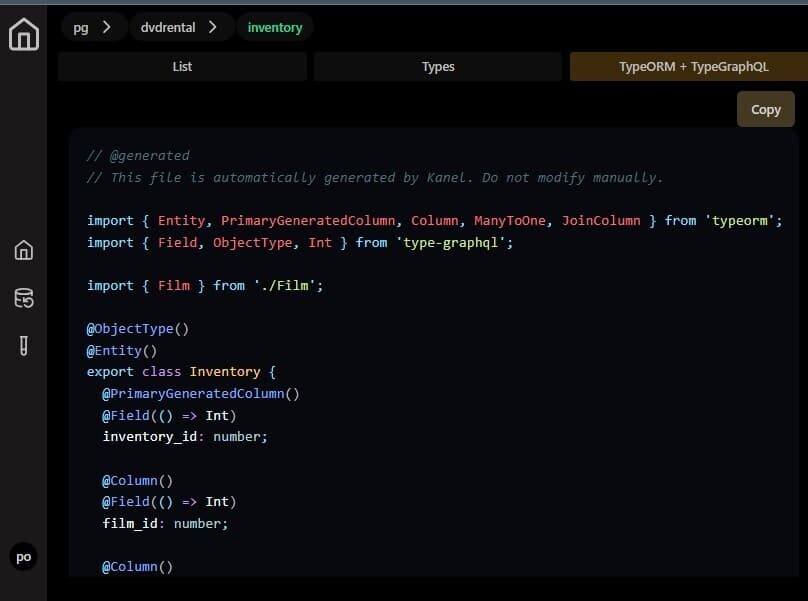
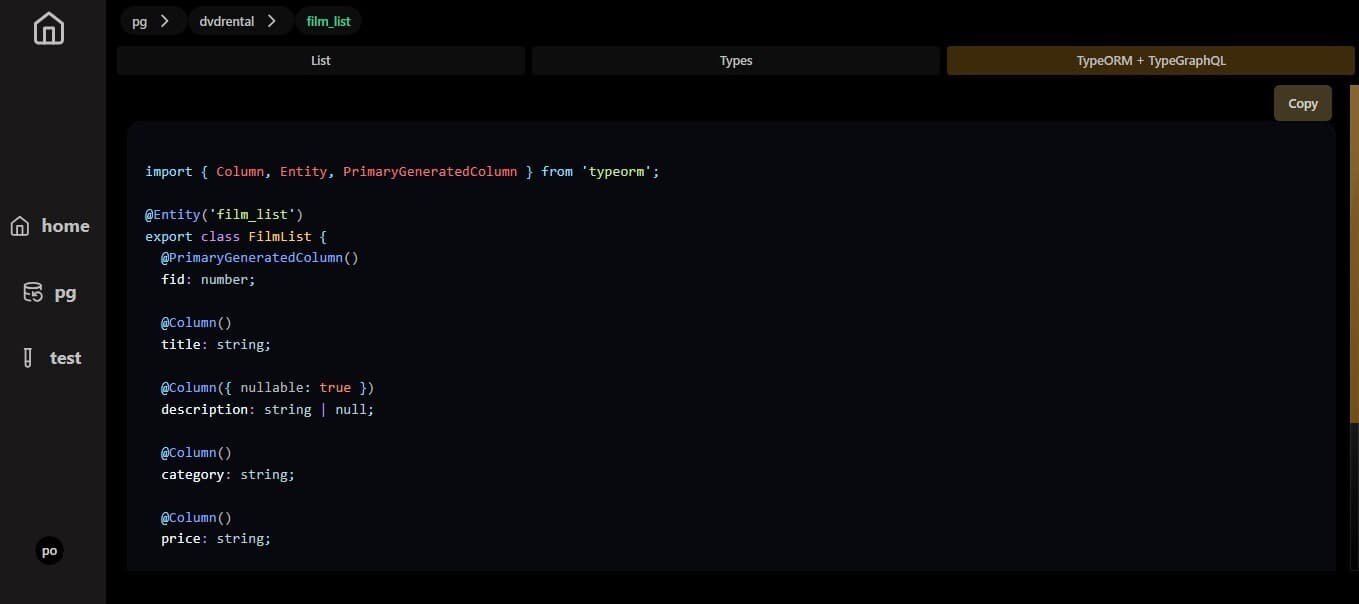
shikiji code highlighter TypeORM + TypeGraphQl class
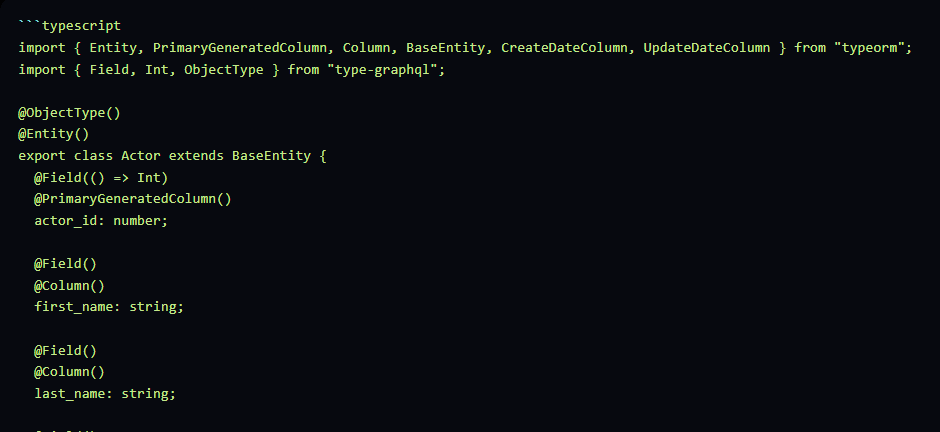
This part is powered by Gemini AI to generate TypeORM and TypeGraphQl classes from our generated typescript interfaces
TypeORM + TypeGraphQl class Some notable utilities i used include
a script that reads the type files and concats all the imports inside it together in one 1 import fs from "fs" ;
2 import fsp from "fs/promises" ;
3 import path from "path" ;
4
5
6 export async function getTextFromFileWithImports (
7 filePath : string ,
8 currentText : string ,
9 dbName : string ,
10 ) {
11 try {
12 let count = 0 ;
13
14 const fileContent = await fsp . readFile ( filePath , "utf8" ) ;
15
16 const importRegex = / import . *? from [ '" ] ( . +? ) [ '" ] ; / g ;
17 let match ;
18 let updatedText = currentText ;
19 if ( count === 0 ) {
20 updatedText += fileContent ;
21 }
22
23 while ( ( match = importRegex . exec ( fileContent ) ) !== null ) {
24 count += 1 ;
25 const importedFilePath = match [ 1 ] ;
26 const absoluteImportedPath = path . resolve ( filePath ) ;
27
28 const importedFileContent = fs . readFileSync ( absoluteImportedPath , "utf8" ) ;
29 updatedText += "\n" + importedFileContent ;
30 const next_file_path =
31 path . resolve ( "pg/" + dbName + "/public" , importedFilePath ) + ".ts" ;
32
33 updatedText =
34 ( await getTextFromFileWithImports ( next_file_path , updatedText , dbName ) ) ?? "" ;
35 }
36
37 return updatedText ;
38 } catch ( error ) {
39 console . log ( "====== error in readTextFromFileWithImport === " , error ) ;
40 return ;
41 }
42 }
A helper to trim out any markdown code blocks that gemini was adding randomnly in it's responses like this randoom-gemini code blocks 1
2 export function trimOutCodeBlock ( input : string ) {
3 const codeBlockStart = "
typescript"; const codeBlockEnd = "```"; const startIndex = input.indexOf(codeBlockStart); const endIndex = input.indexOf( codeBlockEnd, startIndex + codeBlockStart.length, ); if (startIndex !== -1 && endIndex !== -1) { return ( input.slice(0, startIndex) + input.slice(endIndex + codeBlockEnd.length) ); } else { return input; } }
1
2
3 - A helper for Postgresjs to handle local or remote connections config
ts import postgres from "postgres"; import { RequestContext } from "rakkasjs";
export function postgresInstance(options?: DbAuthProps) { if(!options){ return } if (options?.local_or_remote === "local") { return postgres({ host: options.db_host, user: options.db_user, password: options.db_password, database: options.db_name, idle_timeout: 20, max_lifetime: 60 * 30, }); } return postgres(options.connection_url, { idle_timeout: 20, max_lifetime: 60 * 30, }); }
export interface LocalDBAuthProps { local_or_remote: "local"; db_name: string; db_password: string; db_user: string; db_host: string; } export interface RemoteDBAuthProps { local_or_remote: "remote"; connection_url: string; }
export type DbAuthProps = LocalDBAuthProps | RemoteDBAuthProps;
export function setPGCookie(ctx: RequestContext<unknown>, value: string) { ctx?.setCookie("pg_cookie", value, { sameSite: "strict", httpOnly: false, maxAge: 60 * 60 * 24 * 30, path: "/", }); // console.log( " ============= set pg cookie ============ ", ctx.cookie?.pg_cookie); } export function deletePGCookie(ctx: RequestContext<unknown>) { ctx?.deleteCookie("pg_cookie", { path: "/", }); // console.log( " ============= deleted pg cookie ============ ", ctx.cookie?.pg_cookie); }
And with that we have a basic PostgresSQL GUI hat generates TypeORM and TypeGraphQl classes for us , I feel like this will come in handy soon 😏 . feel free to play with it and discover new patterns
Next step is using something like wails or tauri or electron to package it into a binary for better DX
Full code